
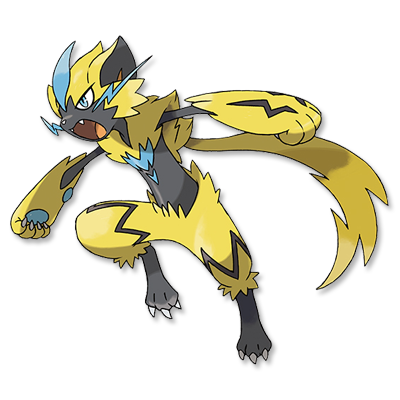
 [DLC] Le trésor enfoui de la Zone Zéro
Oppo-a3s-all-security-unlock-tools-pin-password-network-unlock-tool-my-blog
Oppo-a3s-all-security-unlock-tools-pin-password-network-unlock-tool-my-blog
Network unlocking typically requires professional box tools (like Octopus or Z3X) or authorized unlock codes.
The following article covers the necessary tools and steps for unlocking the , specifically focusing on PIN, password, and FRP (Google account) removal using professional software like UnlockTool . OPPO A3s Security & Network Unlock Guide The software will communicate with the device and
: Click on [EDL] FACTORY RESET or Unlock in the tool. The software will communicate with the device and wipe the security data. 3. FRP (Google Account) Removal : Contact your original service provider to request
: A leading professional utility for bypassing screen locks (PIN/Pattern/Password) and FRP on Oppo devices. specifically focusing on PIN
: Contact your original service provider to request an unlock code if your contract is completed. Key Device Specifications Unlock OPPO A3s: A Step-by-Step Guide With UnlockTool - Ftp
Cette page a été mise à jour pour la dernière fois le 11/02/2024 à 20:09.
Vous avez remarqué une erreur de contenu, d'orthographe ou autre sur cette page ? N'hésitez pas à nous en faire part sur notre serveur Discord !